ACCOUNT MANAGEMENT / TRADETOOLSFX

Multi-Account Terminal

Operate multiple MT4 and MT5 accounts from one trading terminal.

  • Multiple accounts
  • Order controls
  • Manager workspace

Talk directly with our team on Telegram.

SOLUTION / ACCOUNT MANAGEMENT
Multi-Account TerminalTRADETOOLSFX

Multi-Account Terminal for Metatrader 4 and Metatrader 5

The TTFX Multi-Account Terminal for MT4 and MT5 software enables investors to trade multiple accounts on the same computer. This is an ideal solution for regulated qualified institutions or money managers.

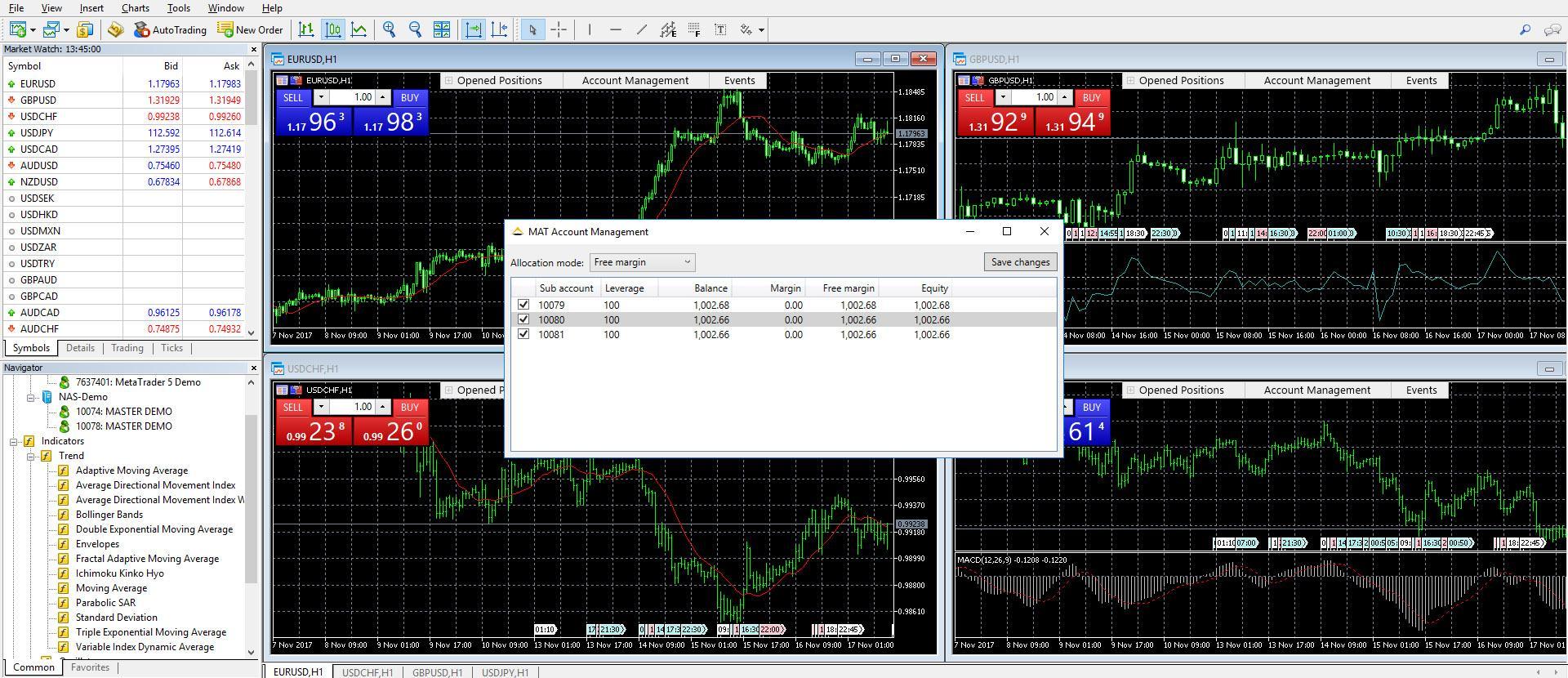
The software maintains all the trading functionalities on MT4 and MT5, including placing or editing orders, limiting orders set up, and closing positions. The Multi-Account terminal enables money managers manage the accounts depending on different trading strategies to meet clients’ requirements.

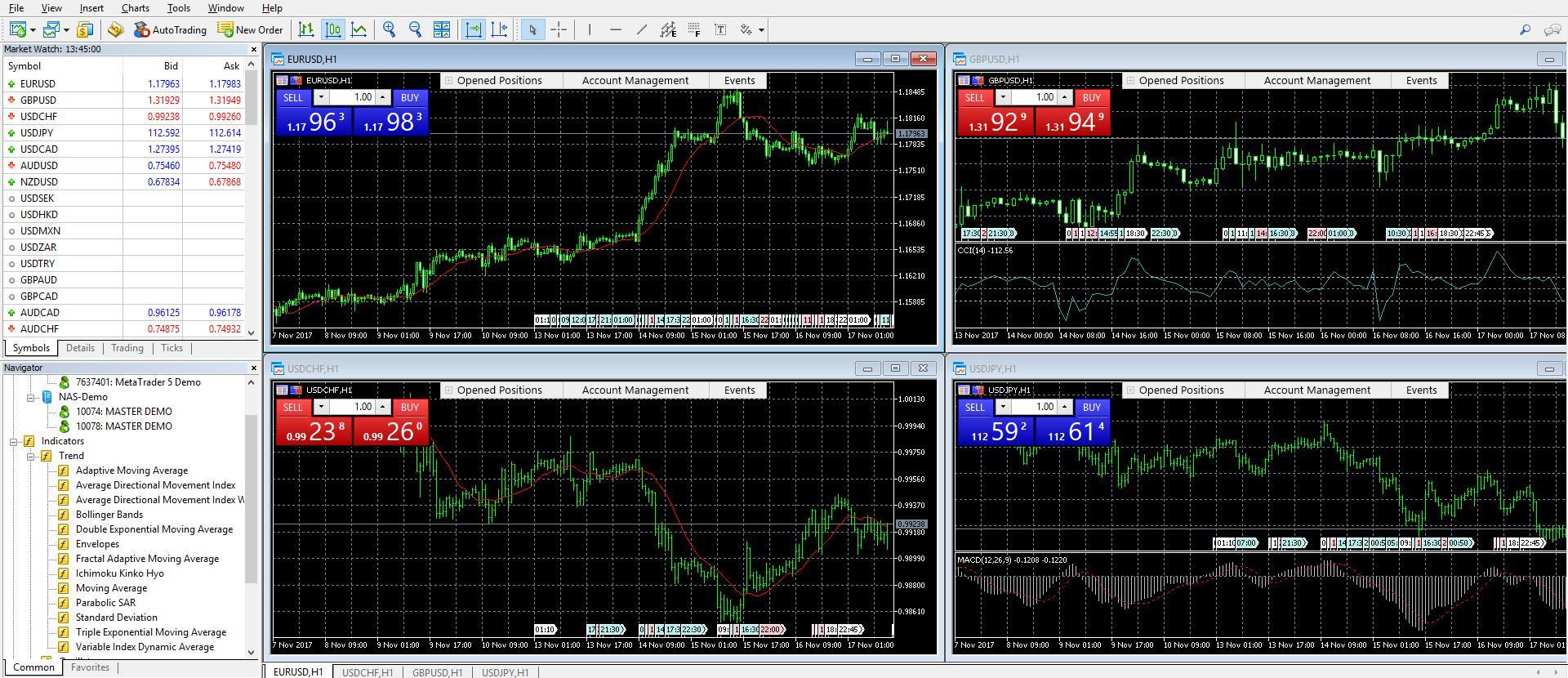
TTFX Multi-Account Terminal is specifically designed to money managers and professional traders to manage and trade multiple forex accounts simultaneously, including placing or editing orders, limiting orders set up, and closing positions. The Multi-Account Terminal interface is similar to that of MetaTrader 4 and MetaTrader 5 terminal, making it simple and easy to use by traders acquainted with MT4 and MT5.

TTFX Multi-Account Terminal professional platform enables asset managers to access, trade, and monitor multiple accounts with grouping and multiple-options, such as different trade sizes for each account.

With this platform, you can trade each account as part of a group and monitor each account's activity, as well as print out statements and equity runs for each client. You will be able to carry out any market, limit, stop order and other type of orders with one-click execution and similar execution speeds as found in individual customer platforms.

With TTFX Multi-Account Terminal advanced customization features, you are able to conduct any market activity in a multi-lingual interface.

TradeToolsFX multi account trader/terminal for metatrader 4 and metatrader 5
Main advantages

for manadger and administrator

For manager

1
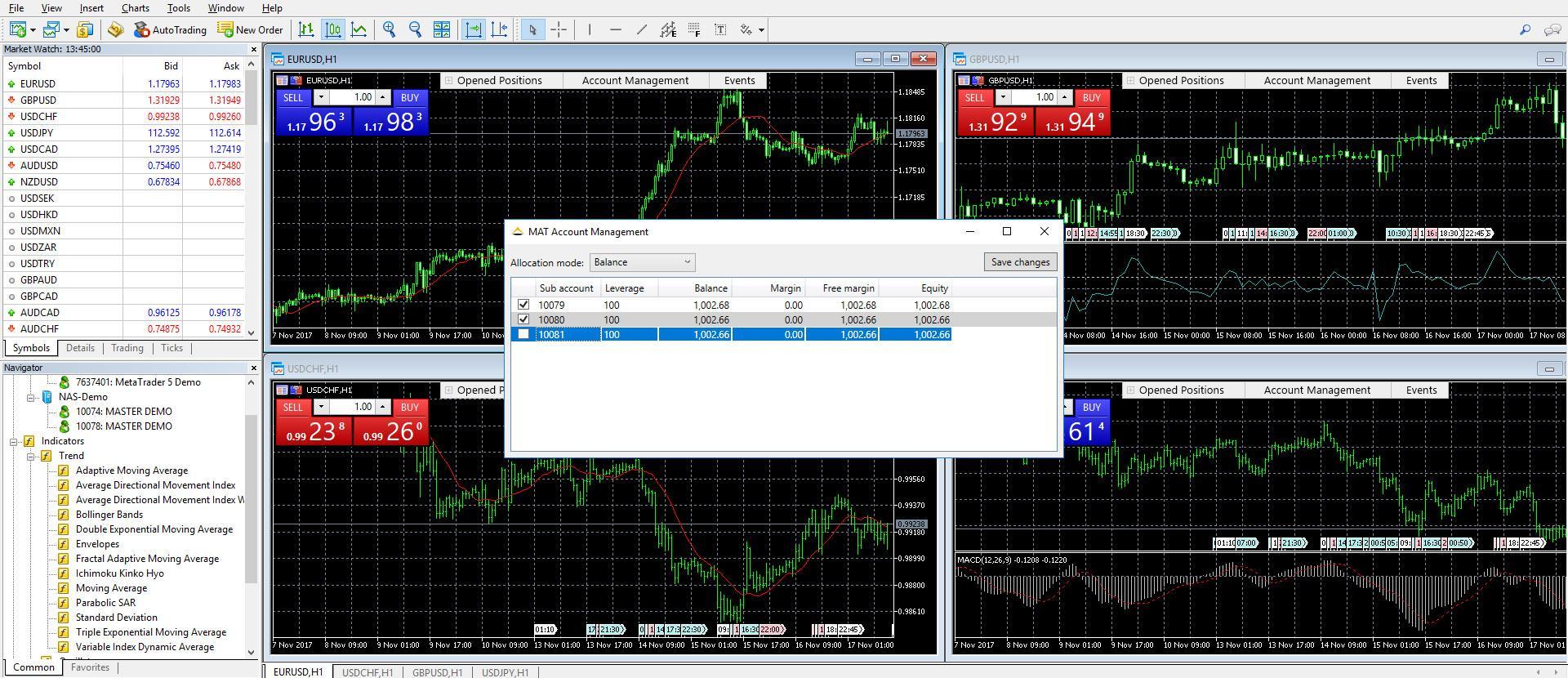
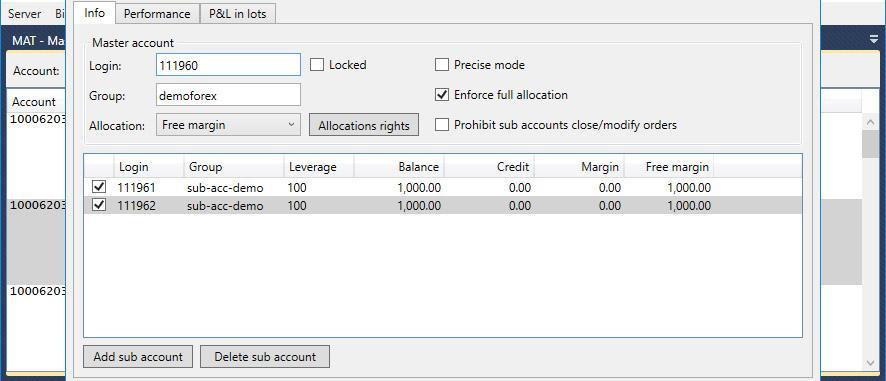
Full control over allocations methods
2
Sub Accounts trading management in Real time
3
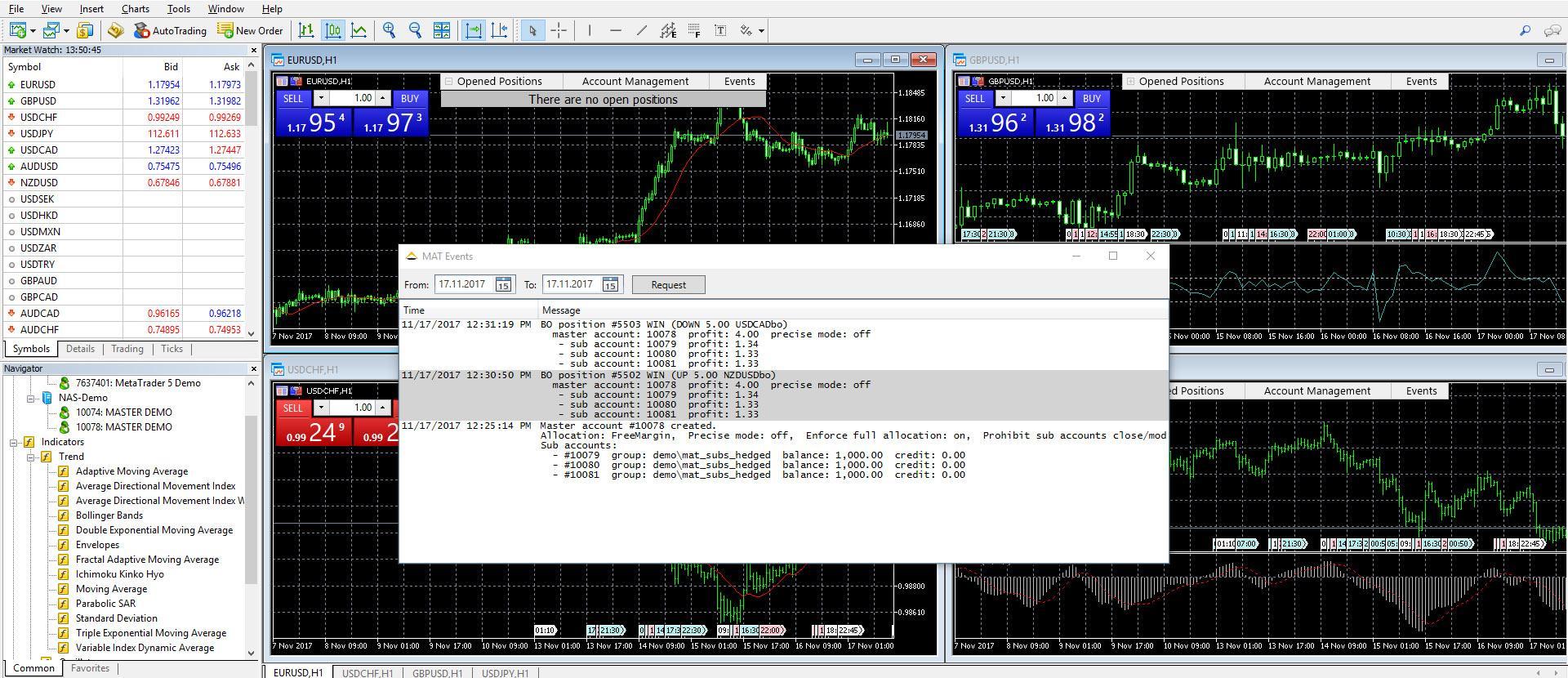
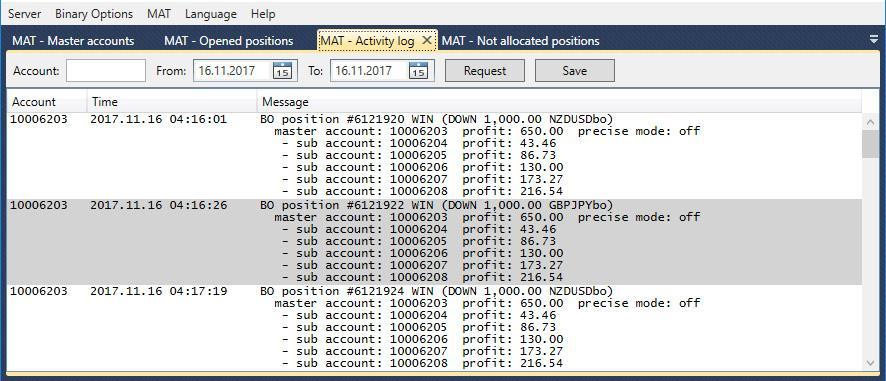
Full Trading Activities Log
4
EA trading ready
5
Full trading log in real time

For administrator

1
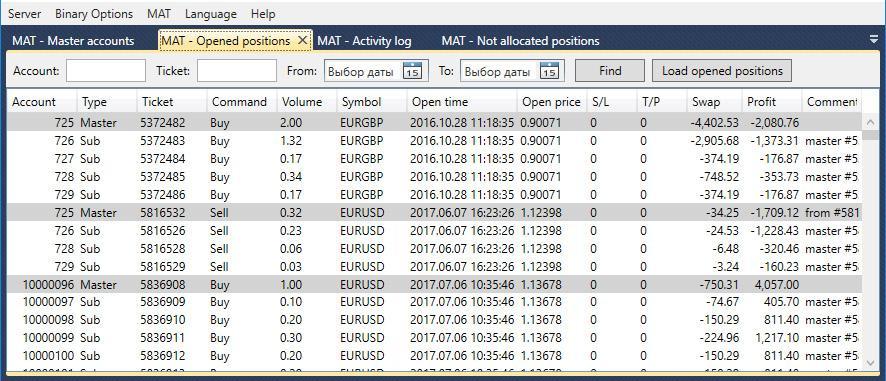
Full control of all accounts
2
Full management of open/close positions
3
Management of allocations
4
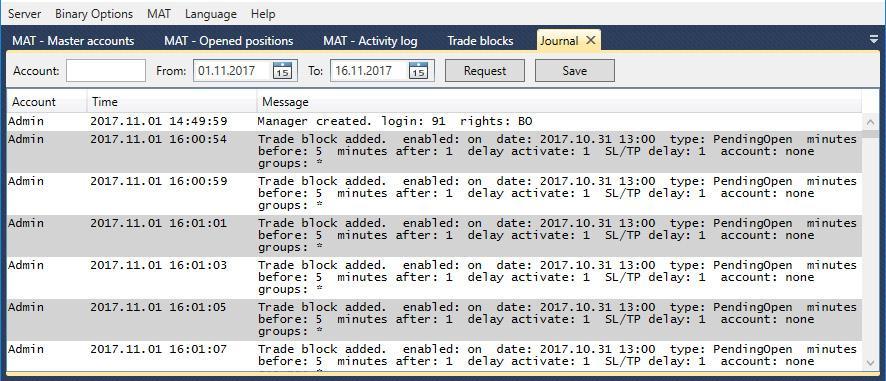
Full log of all users activity
5
Full report access

Our main differences

from our competitors

1

Unlimited

Unlimited number of trading accounts supported
2

Real-time

Real-time trading activity management
3

Trade

Trade forex, metals, and CFDs
4

Multiple

Execute all types of orders
5

Hedging and etc

Hedging, scalping, and news trading allowed
6

Alerts and events

System alerts, trading events, fast news
7

Familiar interface

Familiar and easy to use MT4 and other trading platforms
8

Monitoring

Multiple Account Monitoring
9

Functionality

Multiple Functionality (Opening, Closing, Trading, etc.)
10

Limit and stop

Limit/Stop orders
11

One Click

One Click Execution (All Accounts in No Time)
12

Reports

Operation Performed Reports
13

Mailing

Internal Mailing System
14

News

Internal News System
15

Printing

Multiple Printing Options (Account/ Statements)
16

Account History

Account History Features (Logs and etc)

TradeToolsFX multi account trader/terminal for metatrader 4

05 / LET’S MAKE IT HAPPEN

Start with
your idea.

Launching a brokerage, connecting your systems or improving your platform? Tell us what you have in mind.

Let’s discussMulti-Account Terminal

  • Trading platforms
  • Integrations
  • Technical support
What to include in your message
  • Trading platform and master / sub-account structure
  • Allocation or account-management workflow
  • Manager, client and team access requirements
  • Reporting and demonstration requirements

DIRECT CONTACT
ON TELEGRAM

Let’s talk.

Speak with our team about your project or get help with an existing product.

Opens Telegram in a new tabPrivacy policy
THE TECHNOLOGY INDEX
Products, services & the knowledge baseESC to close